Silk PLA vs. PLA: Which Filament Should You Use for Your 3D Prints?

Silk PLA looks tempting for a simple reason: it can make a 3D print look polished and premium straight off the build plate.
If you have ever printed with regular PLA and felt the model looked a little too plain, or too obviously “3D printed,” Silk PLA seems like the perfect upgrade. Its glossy, reflective finish transforms ordinary decorative pieces into something that looks finished without hours of sanding and smoothing.
But it can be frustrating to load up a beautiful spool of Silk PLA only to end up with a fragile, stringy mess. So, is Silk PLA actually better than regular PLA, or is it just better-looking?
The short answer: Silk PLA is unmatched when appearance matters. Regular PLA is superior when simplicity, predictability, and everyday function are the priority.
Here is the definitive guide to understanding the differences, mastering your print settings, and knowing exactly when to use each filament.
What Are These Filaments: Silk PLA vs PLA
To understand how these filaments behave, you have to look at what they are made of.

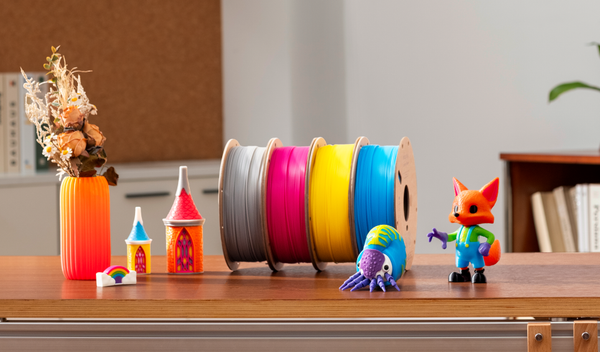
- Regular PLA (Polylactic Acid): The standard workhorse of FDM 3D printing. It is easy to print, widely available, and highly predictable. It yields a basic matte or semi-gloss finish, making it ideal for prototypes, draft models, and everyday indoor prints.
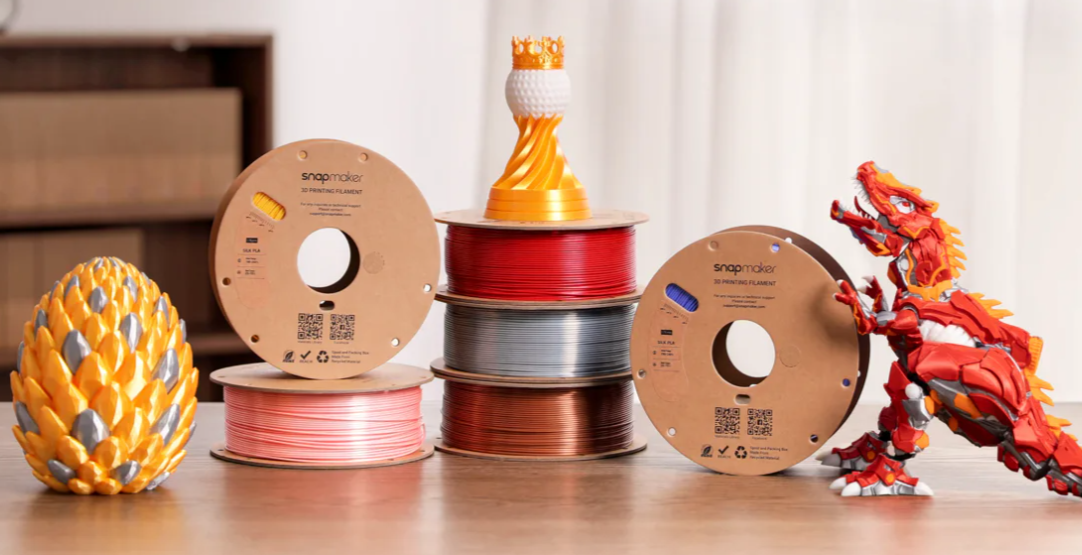
- Silk PLA: This is regular PLA blended with thermoplastic elastomers (typically a type of polyester). These additives create a glossy, metallic-like finish that catches the light and helps hide layer lines. It is perfect for busts, vases, cosplay props, and display models.
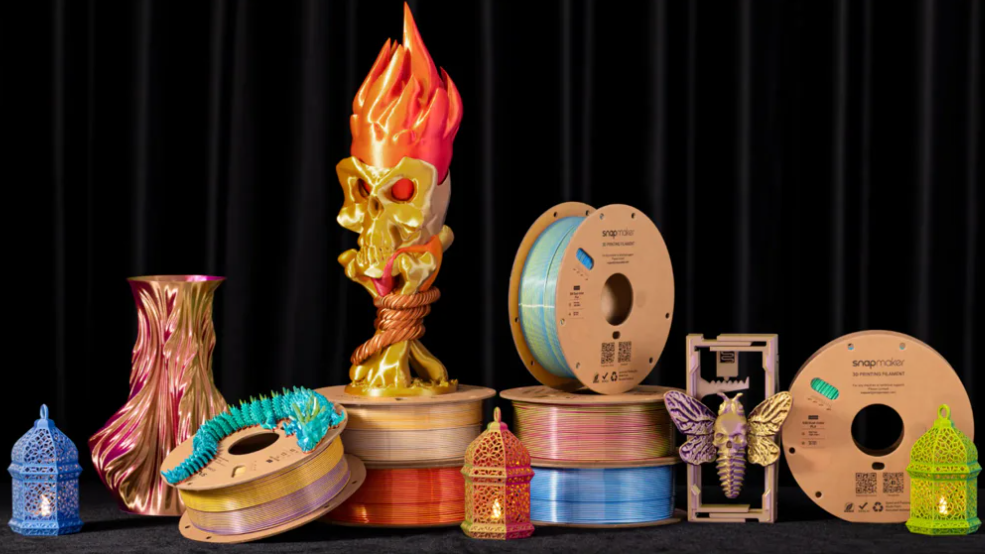
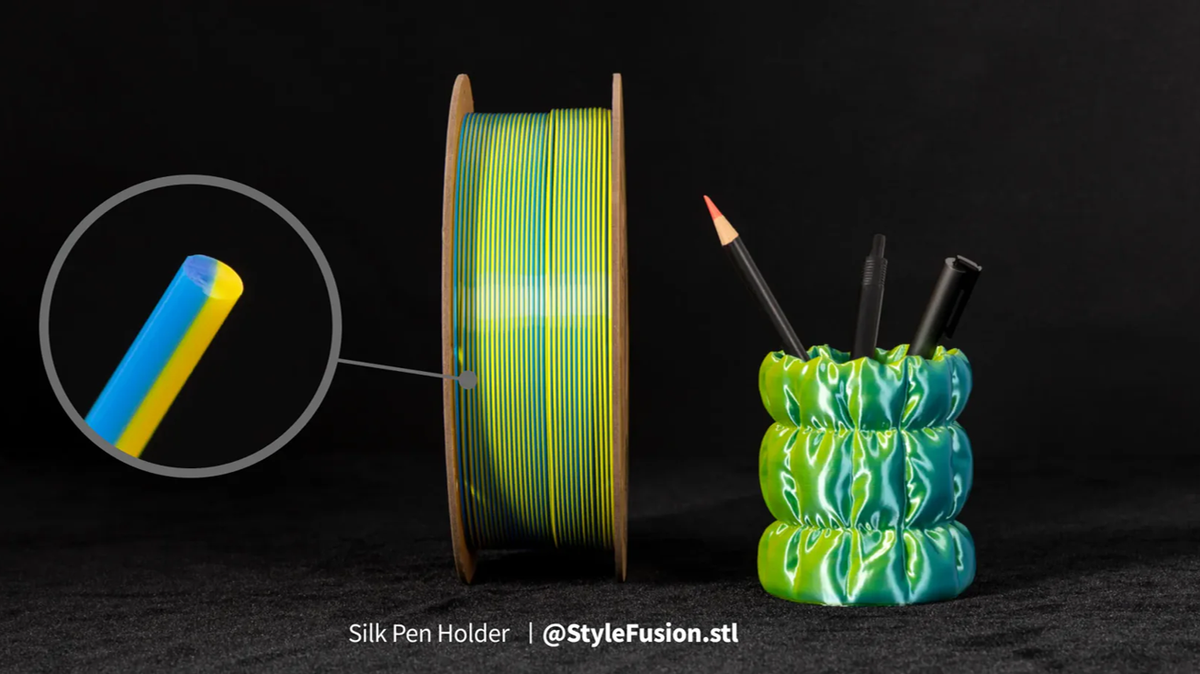
- Silk Dual-Color PLA: A visual upgrade where two distinct colors are co-extruded into a single filament strand. As the printed object curves and catches light, the colors appear to shift depending on your viewing angle.
Silk PLA vs. Regular PLA: The Head-to-Head Comparison
If you are deciding which spool to load, use this quick reference guide to match the filament to your project’s needs.
Factor |
Regular PLA |
Silk PLA |
|---|---|---|
Surface Finish |
Basic plastic look, matte, or semi-gloss |
High-shine, glossy, metallic |
Main Purpose |
Everyday printing and function |
Maximum visual impact |
Strength & Durability |
Solid and predictable |
Lower / More fragile |
Ease of Printing |
Highly beginner-friendly |
Requires minor setting adjustments |
Best Choice When... |
Function and simplicity matter |
Appearance and presentation matter |
Is Silk PLA Weaker Than Normal PLA?
Yes. If there is one rule to remember, it is this: Treat Silk PLA as an appearance-first filament, not a strength-first filament.
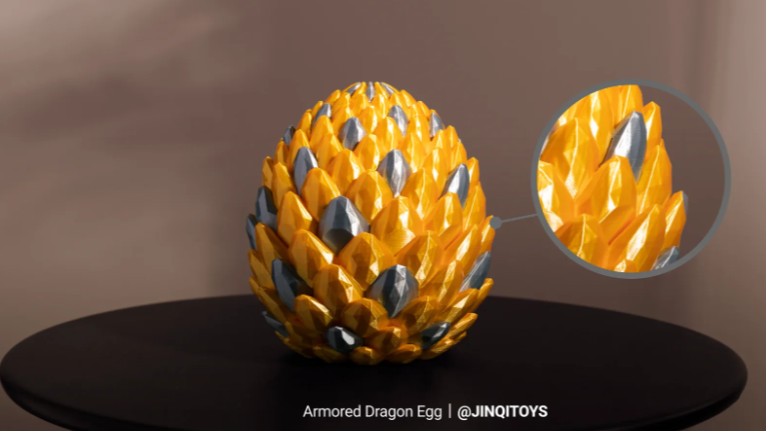
The same elastomers that give Silk PLA its beautiful shine also reduce the material's layer adhesion (how well each printed layer sticks to the one below it). While a well-printed Silk model will easily hold up on a display shelf, it is prone to delamination (snapping along the layer lines) if subjected to bending, weight, or mechanical stress.
If you are printing a load-bearing hook, a mechanical hinge, or a functional bracket, stick to regular PLA (or consider stronger engineering materials, like when comparing PETG vs. PLA).
How to Print Silk PLA Successfully
Silk PLA is not usually hard to print, but it is less forgiving than regular PLA. Because the surface finish is the main reason to use it, small print issues become noticeable.
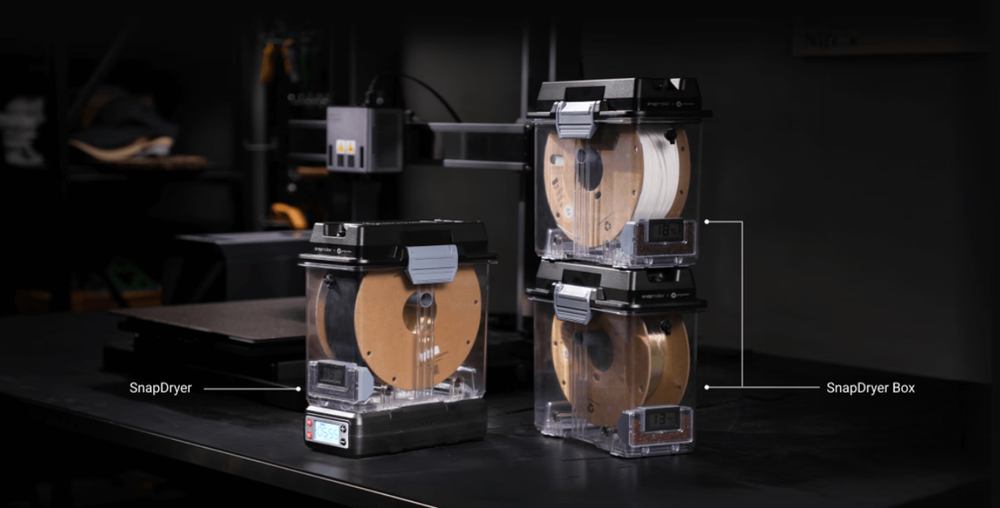
- Dry the Filament Before Printing: Moisture is the easiest way to ruin the surface quality, causing bubbling, stringing, and a rough surface. To store your 3D printer filament and prevent moisture, dry Snapmaker Silk PLA at 55°C for 6 hours before printing.
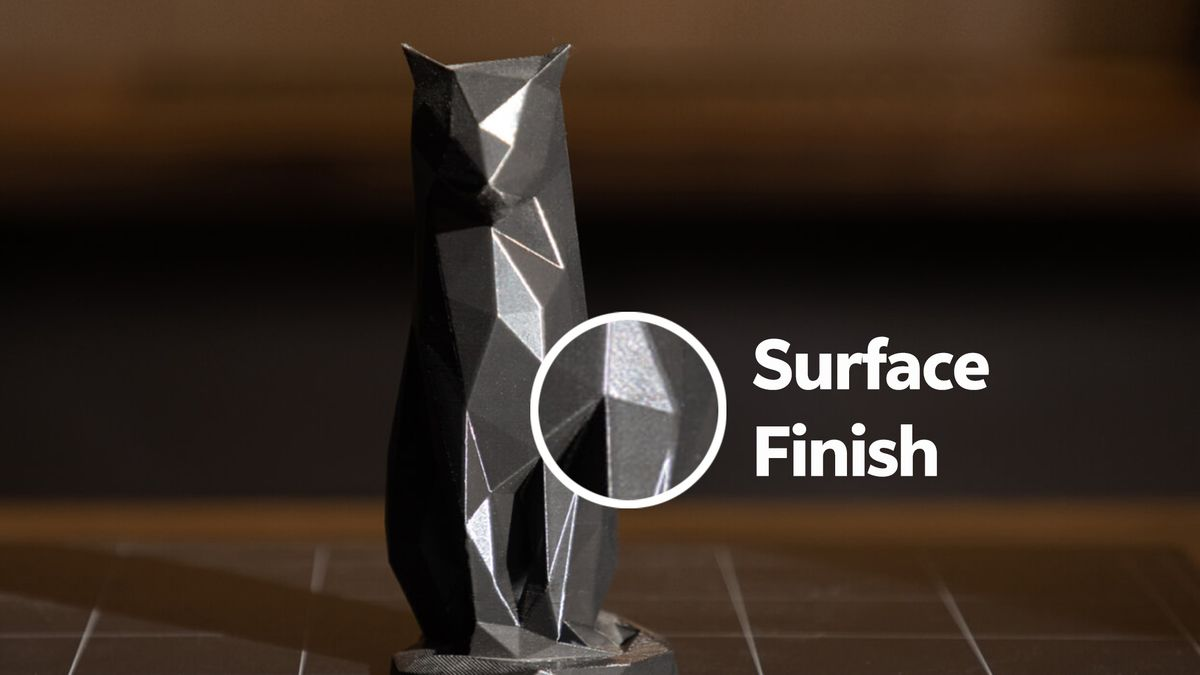
- Print Slower for a Shinier Finish: Speed affects more than print time; it dictates the gloss. Printing slower gives the material time to form a smooth, reflective surface. If your print looks dull, reduce the speed slightly.
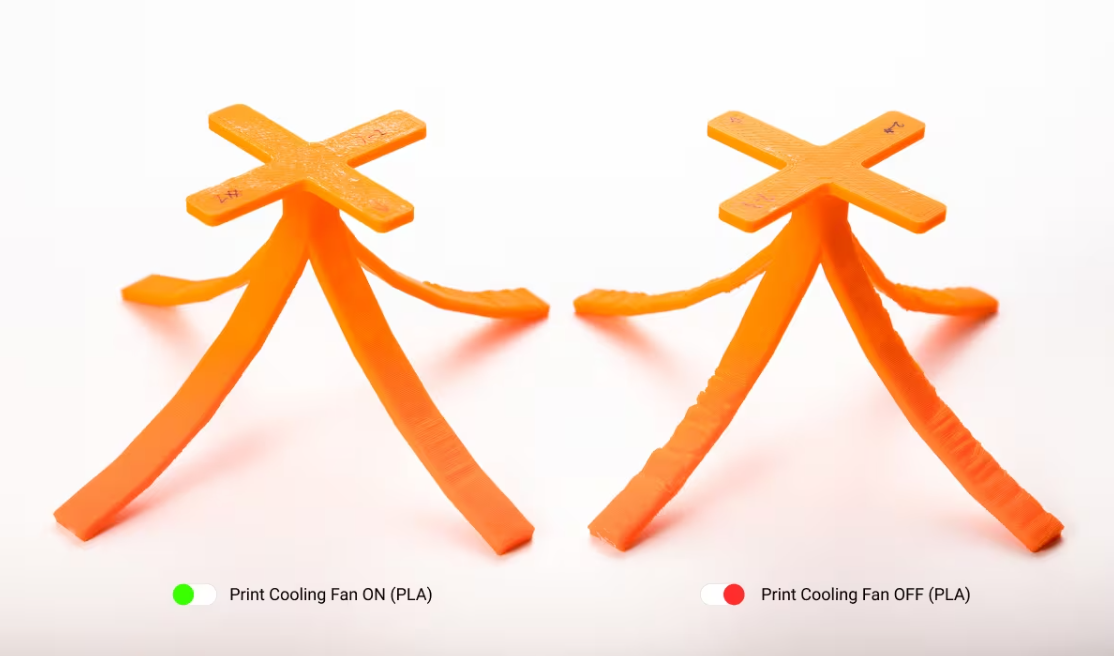
- Use Cooling for Cleaner Surfaces: Good cooling maintains surface detail and print stability. Keep your 3D printer cooling fan ON (and at maximum for Silk Dual-Color PLA) to achieve a fine surface finish.
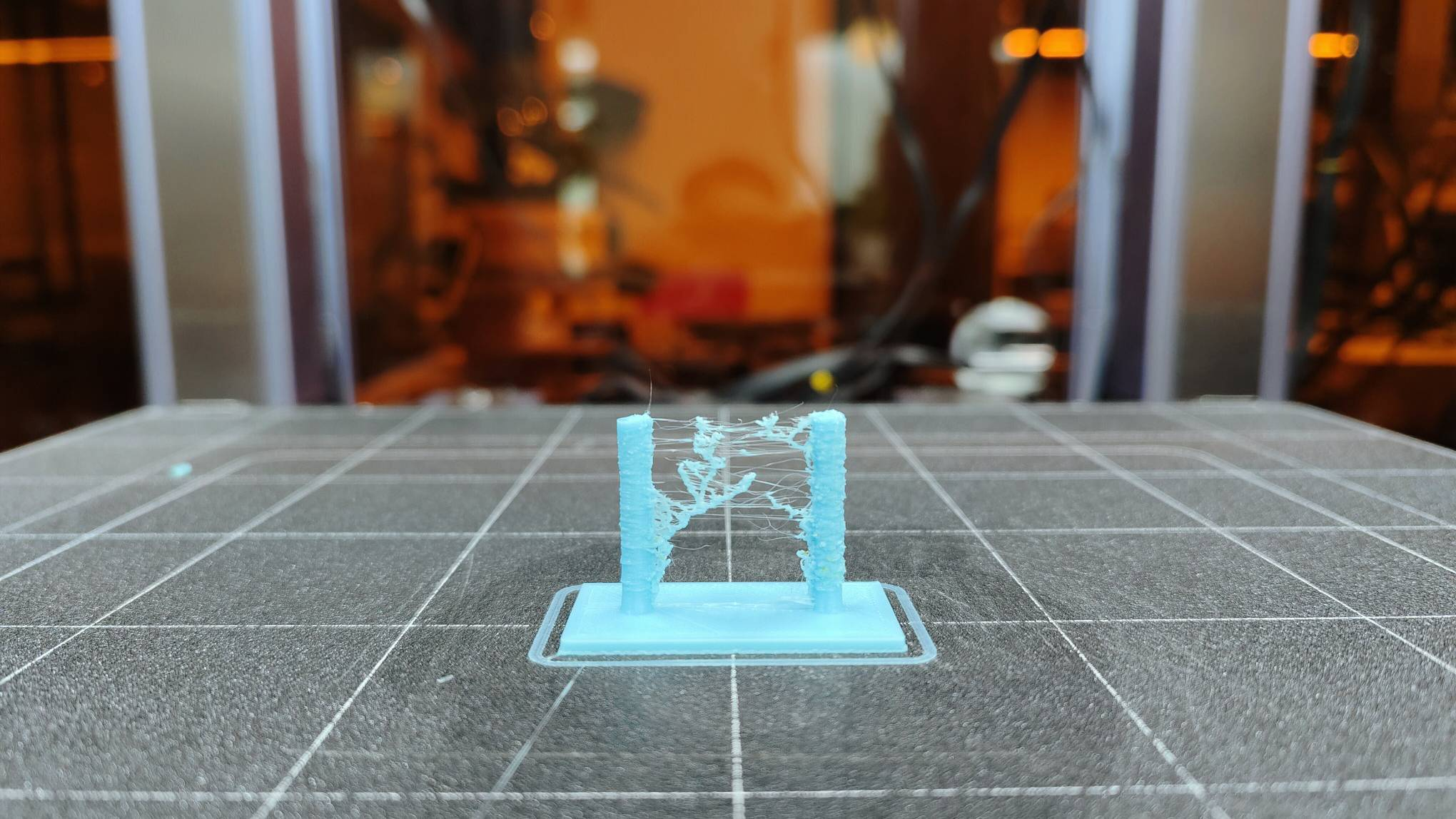
- Reduce Stringing: Silk PLA is notorious for thin, wispy strings. To reduce this, ensure the filament is dry, lower the nozzle temperature slightly if oozing appears, and fine-tune your retraction settings.
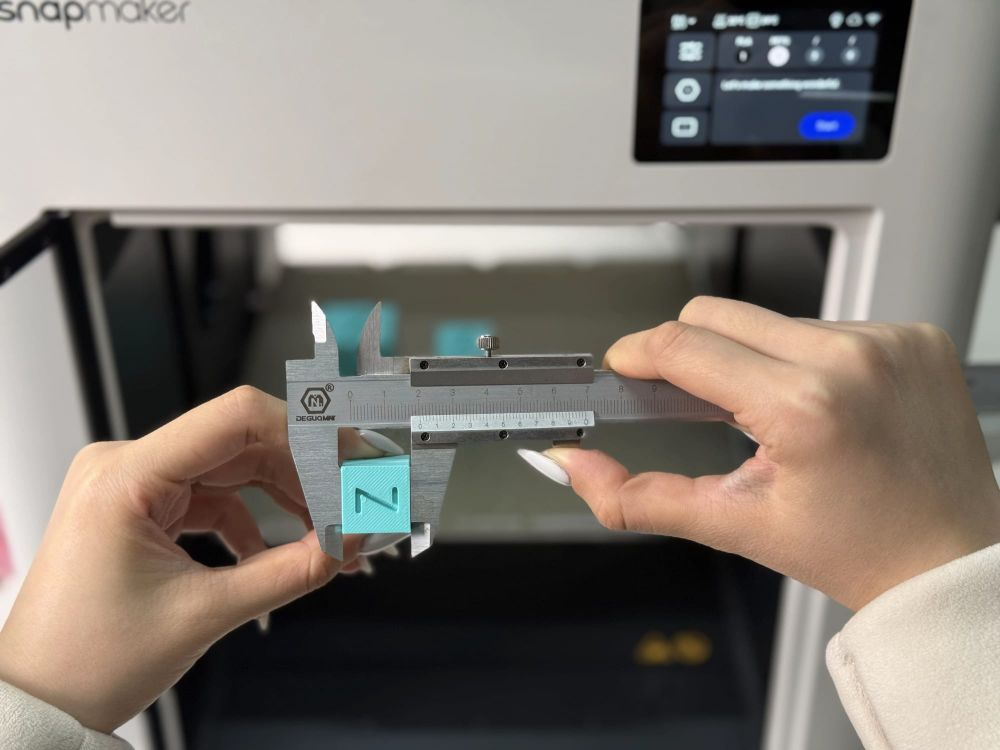
- Print a Small Test: Before a large display piece, use a calibration cube (20x20x20 mm) to check if the extrusion is smooth, the filament is dry, and the finish looks right.
Silk Dual-Color PLA Flowing Art Vase
Tips for Printing Silk Dual-Color PLA
Silk Dual-Color PLA has one extra challenge: color alignment. Because of its split-color structure, the orientation of the filament dictates the final look.
- Avoid Manual Twisting: Do not twist or tangle the filament during use or storage. If it twists before reaching the extruder, the final print may show unexpected color flipping.
- Use a Direct-Spool Setup: Automatic filament feeders increase travel distance, which can cause self-rotation inside the PTFE tubing. A direct-spool setup reduces this risk.
- Keep Printing Speeds Consistent: Frequent speed changes create pressure variations inside the extruder, contributing to twisting. Keep infill, inner wall, and outer wall speeds relatively similar.
- Check Extruder Tension: If the colors flip severely, your extruder tension may be too loose, allowing the filament to rotate in the gears.
Does Silk PLA Need Special Hardware?
- Do you need a Hardened Steel Hot End? No. Snapmaker Silk PLA and Silk Dual-Color PLA are not heavily abrasive, so a standard nozzle works perfectly.
- Do you need a Top Cover? No. You can easily run it on an open 3D printer rather than an enclosed setup.
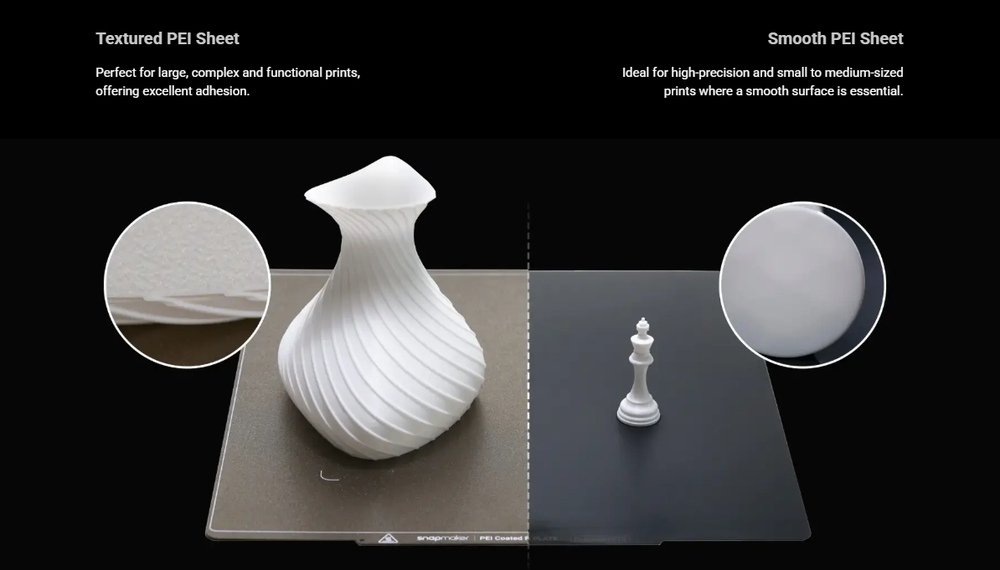
- Which Build Plate? For Snapmaker Silk PLA, Textured PEI, Smooth PEI, and Graphic Effect Steel Plates are recommended. For Silk Dual-Color, a textured PEI plate provides the strong bed adhesion necessary for success.
Streamlining Your Workflow with Snapmaker
Juggling different settings for regular, Silk, and Dual-Color PLA can introduce setup errors. This is where an intelligent ecosystem can simplify the process.
How RFID Makes Setup Easier
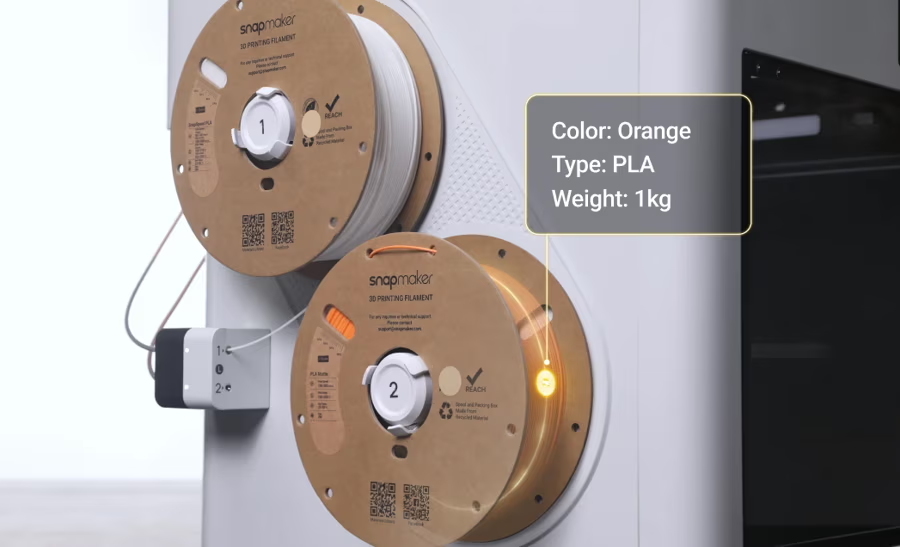
When using official Snapmaker RFID filament on the Snapmaker U1, the printer automatically recognizes the filament information. You don't need to manually edit the filament type and color, which is highly convenient when running multiple toolheads with different materials.
Snapmaker Orca also includes optimized profiles for these materials, meaning your temperatures and flow rates are perfectly dialed in for maximum shine right out of the box.
How to Load Silk Filament on the Snapmaker U1
For rigid filaments, Automatic Loading is recommended. However, for Silk Dual-Color PLA, manual loading and a direct-spool setup are best to prevent color-shifting.
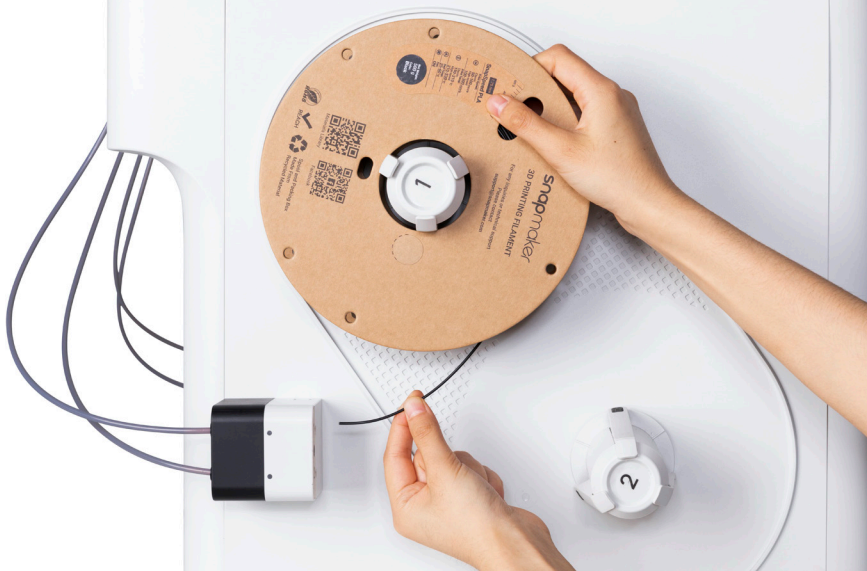
- Trim the filament end to a 45° angle.
- Mount the spool securely, ensuring the filament pulls smoothly from the bottom without twisting.
- Disable Auto Loading for the target toolhead (if using manual load for Dual-Color).
- Follow the touchscreen guide to feed the filament into the toolhead.
- Let the printer heat the nozzle and confirm successful extrusion.
- Reinsert the tube into the top of the toolhead and confirm the filament information (this is automatic with RFID spools).
Frequently Asked Questions
Is Silk PLA harder to print with?
It is not inherently difficult, but it is less forgiving. It requires stricter moisture control, slightly slower print speeds, and dialed-in retraction settings to avoid stringing and achieve a glossy finish.
Can I use Silk PLA with regular PLA?
Yes! You can use them in the same project, especially for visual accents (e.g., a strong regular PLA base with a Silk PLA decorative shell). Just remember not to rely on the Silk PLA sections for structural support.
What is the best filament for multicolor prints?
It depends on your hardware setup:
- For Multi-Material/Multi-Nozzle Printers: Standard Regular PLA is the best choice. When printing a single model using multiple separate spools (such as on a dual-extruder or tool-changing system like the Snapmaker U1), regular PLA filaments from the same brand fuse together seamlessly, purge cleanly, and offer the most predictable execution.
- For Single-Extruder Printers: Silk Dual-Color (or Tri-Color) PLA is the best choice. It allows you to achieve a dynamic, multi-toned look straight from a single spool without needing complex multi-material hardware or suffering from high material waste during color transitions.
What about PLA Basic vs. Matte?
If you want to reduce the plastic look of standard PLA but don't want the extreme shine of Silk, Matte PLA is your answer. It uses different additives to diffuse light, hiding layer lines behind a flat, smooth, and professional-looking finish. Read more: PLA Matte vs. Basic: Guide to Selecting Your Perfect Finish.
What are the downsides of Silk PLA?
The main downsides are that Silk PLA can be more sensitive to moisture, speed, temperature, and retraction settings. It may also be less suitable for functional parts where strength matters more than appearance.
What is the difference between Silk PLA and Silk Dual-Color PLA?
Silk PLA gives a glossy, reflective finish in one color. Silk Dual-Color PLA combines two colors in one filament strand, creating an angle-dependent color-shift effect as the model rotates or catches light from different directions.