








Innovation
Fund
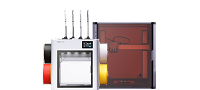
Our first community-powered innovation fund for the next era of 3D printing. Founding Sponsorships to honor the makers whose work contributed to the success of U1. Open Competition to reward the ones taking it further. We give back, you build forward — together on Snapmaker U1.

Three reasons. One mission.
The U1 didn't get here alone — it stood on the shoulders of an innovative community decades in the making. This fund is how we say thank you, and how we keep that movement going.
Push U1 further
Unlock everything U1 can do — through community-built software, hardware, and workflows we couldn't ship alone.
Give back to the community
Cash, recognition, and platform support for the developers who keep 3D printing moving forward.
Welcome the next wave
3D printing is entering its color era. We want more makers, hackers, and newcomers showing up to shape what comes next.
Two ways to say thank you.
$50K goes to direct sponsorship of developers who've already shaped U1.
$100K powers two open competitions where any maker can win.
Thank you for
making something wonderful.
For developers who've already shaped U1 in meaningful ways. We provide steady monthly cash support so you can keep building.
- Full Spectrum
- OrcaSlicer
- Klipper
- Moonraker
- Fluidd
- More TBA
For everyone with an idea.
Open to every developer and U1 user. 3-month build window. Public evaluation by the committee and the community.
- 20 winners
- 3 tiers
- Public showcase
Round two. New ideas, same energy.
Same open structure as Phase 1. Try again, build something new, level up your last entry.
- 20 winners
- 3 tiers
- Public showcase
The shoulders we stand on.
Full Spectrum is the first project we're proud to sponsor. The others are the work U1 stands on. We didn't build U1 alone — and we don't plan to forget it.
Moonraker
Web API bridging Klipper to modern interfaces. Essential to every modern slicer integration.
OrcaSlicer
The slicer behind Snapmaker Orca. Open-source, community-driven, foundation for Full Spectrum.
Klipper
The firmware that pushes 3D printer hardware further. Powers fast, precise printing on U1.
Fluidd
The web UI that gives Klipper a friendly face. Clean, fast, mobile-ready — the front door.
Full Spectrum
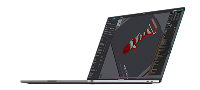
Generates 100+ intermediate colors from 4 filaments by alternating layers. Built as an Orca fork.
Surface Color Stitch
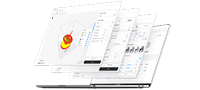
Breaks each top surface into a stack of independent layers — you control what every layer is made of, unlocking multicolor textures and finishes you couldn't slice before.
What the community is building right now.
66 projects submitted to Phase 1 — slicing engines, firmware, hardware mods, CAD tools, converters, and things we never saw coming. Every one of them is someone betting their weekends on U1.

SnapmakerU1 Extended Firmware
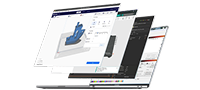
Custom repackaged U1 firmware that unlocks SSH access and debugging, plus a supporting stack for hardware-accelerated camera, touchscreen, and Klipper metrics.

orcaslicer-imagemap
Maps smooth image textures onto model sides with no extra seams — switches CMYK-style patterns per layer and only tunes overhang.

bespok3d
An app store and package manager for Klipper printers. One-click plugins, adapters, and modules — no terminal, no custom firmware builds.

multiACE
The first multi-material printing available for the U1. Drives up to 4 Anycubic ACE Pro / ACE 2 units (16 slots) with automatic mid-print swaps, Quad Replenish runout failover, one-click print prep, RFID spool management, and humidity-controlled drying.

ditherforge
Full-color texture prep for 4-color printing. Loads GLB/OBJ, picks colors from your inventory, dithers to match the source, repairs non-manifold meshes.

Bird3D
High-precision bird model platform generating AI content tuned for multi-color printing, with an open API planned.

Kromacut
Online tool turning any 2D image into layered full-color print files. Adapts to your filament colors, previews in 3D, exports print-ready STL/3MF.

Miniskyline
Generates 3D models of cities, terrain, and celestial bodies — filling the gap left when Map2model shut down. 4,000+ previews in its first week.

u1hub
Self-hosted dashboard for many U1 printers at once — progress, ETA, temps, remote filament swaps, gcode transfer with thumbnails, and usage stats.

Snapmaker-Orca multi-nozzle
Multi-nozzle slicing with fixed or dynamic layer heights per extruder, so different parts of one object print with different nozzle sizes.

SnapCon
Fleet management and Orca device control for clusters of U1 printers.

Lumina Studio
A hierarchical lightweight visual processing framework built for multi-color plane overprinting, adaptable across devices.

FOrcaSlicer
Flexible OrcaSlicer for the Snapmaker U1 — Color Patch prints painted surfaces as a shell over a different-material core (soft grip on a rigid body, see-through layers), plus mixed nozzle sizes with per-nozzle line width & speed.

makerworld-to-snapmaker-u1
Browser extension that converts MakerWorld print configs into native U1 projects in one click. Runs entirely locally, no upload needed.

pandabreath-klipper
Native Klipper extension for the Biqu Panda Breath chamber heater — three modes, thermal safety interlock, mainline-compliant.

U1 Driver Heatsink Mod
Relocates the stock heatsink behind the mainboard to cool the correct side of the TMC flip-chip. Big drops in driver and CPU temps.

QCMS Filament System
The Qingluan filament management system expands U1's material channels — a 4+3 setup now at 95% adaptation.

AFC-Klipper-Add-On
Hardware-agnostic automation framework bringing multi-color, multi-material support to Klipper. Works with open and commercial changers — and can raise U1's color ceiling.

Meshivo
AI-agent-powered 3D editor built as a workflow tool, simplifying model creation and print inspection.

Filament Syndicate Foreman 5
Print-farm monitoring device designed for U1 and compatible with any Moonraker-based printer.

snapmaker-u1-toolkit
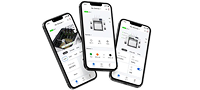
Mobile-first companion app for U1 — guided uploads of sliced files, confirm-before-print safety, and live print monitoring.

snaporca-cad
Open-source CAD built directly into Snapmaker Orca. Parametric sketching and modeling, so you stop bouncing files between CAD and slicer.

PolyCarver
Curve-cutting on meshes by drawing splines — breaking past the plane-only limits of conventional slicers.

Nozzle Buddy
Converts 3mf and Full Spectrum files between mainstream slicers, carrying coloring and support parameters across with clear warnings on mismatch.

sindricad
Open-source parametric 3D editor for Linux, Windows, and Mac, U1-first — parametric modeling, color assignment, and project-adaptive export.

Sidecar 16-Color MMU
A sidecar multi-material unit pushing U1 to 16 colors, shared and iterated openly in the Snapmaker community group.

u1-slicer-for-android
OrcaSlicer-based slicer for Android. Prep, slice, and upload straight from a phone or tablet — no desktop needed.

OrcaFS-NeotkoCM
Orca mod centered on full-spectrum layer blending — Neoweaving, color mixing, multi-channel and path blending to simulate fabric-like textures.

U1 Adaptive Pressure Advance
Auto-generates adaptive pressure advance configs using U1's onboard sensors and a Klipper extension — no manual test prints.

U1 P1S/X1 Hotend Mod
Adapts Bambu Lab hotends to U1 — hardened nozzles, multiple sizes, and high-flow options, all before official support arrived.

snapmaker-studio
Local pre-print intelligence for U1: checks projects against the real printer, safely prepares fixes, verifies fidelity, then hands off to Orca.

Adaptive Manufacturing Planner
Geometry-aware manufacturing planning for U1. Phase one handles software-level fuse width and contour verification.

bambu-to-snapmaker-u1
Web app converting Bambu Studio files into U1-compatible projects, closing the gap between the two ecosystems.

bl2u1
Browser tool converting Bambu Studio files into the format Snapmaker U1 expects.

Helix
Touch-first mobile control app built on React Native/Expo for U1 running PAXX firmware — monitoring, control, files, calibration, filament.

PrinterTools
Management dashboard for 3D printers across brands — remotely connect and manage Bambu Lab, Klipper, and OctoPrint machines from anywhere.

PrintProof (3mf-to-glb)
Browser tool that opens U1 .3mf files with full color data, recolors in real time, and previews prints in mobile AR. No install, no upload.

SpoolEase
Filament management system wired into printers and slicers — inventory location, weight tracking, and remote monitoring with no complex setup.

btu
Converts Bambu Studio 3MF filament configs into U1 3MF while preserving geometry. Handles layered projects and full-spectrum mixed-material ones.

BREPcode
Browser-based CAD driven by code or natural language, shareable by URL. Built for 4-head printers, outputs color 3MF directly.

OrcaSlicer FS UI rework
Rebuilding the mixed-filament UI for OrcaSlicer's Full Spectrum branch with ratdoux — new sidebar, three filament card types, a management dialog.

orca-auto
MIT-licensed workflow tool: feed it models and parameters, it drives OrcaSlicer to slice and ships the result to the printer over Moonraker. Fully hands-off.

u1-companion
Home Assistant integration for U1 exposing 82 device entities, plus a u1sim simulator so you can deploy and test the whole stack without a printer.

Bambu2Orca
Converts Bambu Studio and MakerWorld 3MF files into U1-compatible projects, keeping the original print optimizations without touching your U1 settings.

Printventory
Free open-source 3D model manager that auto-categorizes local STL and 3MF files with visual previews — so a sprawling library stops eating your time.

3D Printing Tools
A free, ad-free, community-driven directory of 3D printing tools. Search, rate, and build your own toolbox instead of hunting through forums.

Diff3MF
Diffs 3MF slicing profiles side by side and highlights what changed across extruders — built for debugging multi-tool, multi-filament prints on U1.

SilhouType
Free web tool that wraps and bends text along the contour of any uploaded image, then exports it ready for multi-color printing. No CAD required.

Slim U1 Heater
PTC heating element plus an EC blower for steadier chamber temps and better air circulation. Modular build that mounts to the stock points.

MKPSpectrum
Full-color printing on U1 through the Klipper ecosystem — custom software, inkjet hardware, and modified PLA working as one low-cost pipeline.

ChromaMatter
Open-source Windows tool converting AI-generated colored OBJ/GLB models into U1-ready 3MF — preserves original colors, maps to your filaments, verifies geometry first.

One-Click Model Coloring
Import a blank model and get automatic zone-based coloring in one click, producing a ready multi-color model.

PrintDeck
Desktop display terminal for U1, Bambu Lab, and Klipper printers — live monitoring, advanced control, and smart automations in one panel.

U1 RepairKit
From a rural disability-focused startup: using U1 toolheads to make non-safety-critical repair parts, testing whether distributed additive manufacturing can serve remote communities.

U1 WLED Status Bridge
WLED status bridge running directly on the U1 — no Pi or PC needed. Turns printer state, heating, errors, and progress into live light feedback.

Metal Spool Holder
Dust-proof, moisture-resistant metal spool holder for U1 — fixes the stock holder's flaws and the tangling and jumping of printed plastic versions.

RangerWorx
Browser-based assembly tool for wearable helmets and masks — pick parts, set color and scale, export for printing. No CAD, no install, no account.

BMCU-Klipper
Klipper-side hardware mod supporting 32 automated filament channels with parallel changes, independent routing, and pre-planned swaps.

AI-SoulMate
An AI creation workspace wired to a 3D printing loop — text-to-image, image-to-image, and 3D generation with preview, then straight to print.

coroNET OS 2
Extends U1 telemetry into touchscreen control, RGBW status lighting, sound feedback, automatic iris venting, and chamber heater control.

U1 Stock Camera for Fluidd
Bridges the stock U1 camera into Fluidd with no extra hardware or custom firmware, plus a watchdog that revives a frozen feed.

Realistic Maple Wood Grain
Produces 3D prints with convincing maple wood grain without any wood-composite filament — pure process and color work on U1.

SnapHeater-U1
Firmware for PandaBreath that coordinates heating and ventilation with the U1, with Android app control on top.

Smart Prosthetics
Touch-capable smart prosthetics built with multi-material printing on U1, closing a functional gap traditional prosthetics leave open.

SnapCentral
Centralizes model info and the whole print workflow — full setup, hands-on guidance, and verified U1 results in one place.

proofprint-u1
Local G-code pre-flight for U1 — visualizes toolpaths, flags risky moves, and lets you verify fixes before anything hits the bed.
Phase 1 submissions are closed — these 66 projects are being judged now. Phase 2 opens October 1.
See what happens next →Two phases. Twenty innovators each.
Bring your boldest U1 build. Share it with makers around the world. Make the community better — and walk away with cash, recognition, and a stage to amplify your work.
Submissions Open
Build & submit your project
Submissions Close
Last day to submit
Evaluation Ends
Committee + community vote
Winners Announced
Cash & honors awarded
U1 Pioneer
- Winner's badge and certificate
- Official social media spotlight
- New product beta access
Eco-Enhancer
- Winner's badge and certificate
- Official social media spotlight
- New product beta access
Active Builder
- Winner's badge and certificate
- Official social media spotlight
- New product beta access
How to participate.
Four steps. Open to every developer and U1 user worldwide.
Prepare your project
Build something on or around U1 — slicer plugin, hardware mod, workflow, accessory.
Publish openly
Upload to GitHub or any publicly accessible page — blog, site, your own platform, or a Patreon-style page where supporters can back your work.
Share with community
Post in any Snapmaker community channel so makers can find and discuss it.
Submit & be reviewed
Submit via the form below, message an admin, or accept an official invitation.
How projects are judged.
Three dimensions decide the project score — then we mix it with how the community feels about your work.
Innovation & Technical Depth
Fresh functional directions. Hard problems solved with creative, original approaches that unlock new use cases on U1.
— Core DimensionOpenness & Quality
We favor open source — reproducible on GitHub, fully documented, built to extend. Closed-source projects can qualify if they give back another way: open APIs, transparent setup, and a real commitment to the community.
— Core DimensionPracticality & Adaptability
Solves real, common U1 pain points. Broad potential to be reused, remixed, and adapted across the community.
— Core Dimension- Snapmaker PMs & senior engineers
- Industry experts
- Community tech committee
- GitHub repository stars
- Community channel likes
- Project page upvotes
Who decides.
A balanced panel of Snapmaker insiders, community veterans, and respected industry voices.
Snapmaker Official
- Product Manager U1 Platform
- Senior R&D Engineer Hardware & Software
- Snapmaker Founder Final round
Community Tech Committee
- Engineers & enthusiasts Nominated
- Senior community admins Forum & Discord
- Active power users Self-nominated
Industry Experts
- Slicer expert To be announced
- Hardware expert To be announced
- Community expert To be announced
Phase 1 is in evaluation.
Submissions closed September 7, 2026. 66 projects made it in — the committee and the community are scoring them now. Phase 2 opens October 1.
Submissions are closed. Judging is underway.
Phase 1 closed on September 7 with 66 projects in the running. The committee and the community are scoring them now — winners go public September 30.
Missed Phase 1? Phase 2 runs October 1 – December 31, 2026 with another $50K and 20 more winners. Keep building.
Frequently asked.
Who can apply for Phase 1 and Phase 2?
+Anyone. That said, having a U1 in hand makes debugging much easier. If you've got a great idea but no machine, email community@snapmaker.com and let's talk — we may sponsor a unit to help you get started. Go for it.
Do I need to own a U1 to participate — or what if my project requires more than one?
+Same as above — you don't strictly need a U1 to apply, but we strongly recommend getting one (yes, really 😄). Since the whole point of the fund is to push U1 further, having one in hand to debug on dramatically improves your chances of winning. If you've got a strong idea but no machine, or your project genuinely needs more than one U1, submit through the form above to reach our community team — we'll review your case and do our best to support you.
Does my project have to be 100% open source?
+No, open source isn't required. Our goal is to encourage innovation — if you have a great or even wild idea that pushes U1's boundaries, we want to see it. Closed-source projects are welcome too, as long as you have a working demo to share.
Can I submit multiple projects per phase?
+Yes. You can submit additional projects via the form on this page, or send them directly to community@snapmaker.com.
What if I started my project before June 9?
+No problem — in fact, it's often better. Mature projects tend to be stronger entries. We just ask that the project be meaningfully connected to U1.
How do I get considered for the Sponsorship Track?
+Reach out at community@snapmaker.com, or talk to one of our community admins in any Snapmaker channel. We review these conversations internally — if there's a fit, we'll get in touch to discuss what kind of support makes sense. And we welcome you telling us exactly what you need.
How is the community vote calculated?
+We're building an online voting system that will let users like projects directly on the site — that'll be the main data source. The exact weighting is still being finalized.
How is the cash prize delivered?
+Winners will be contacted within two weeks of the announcement and paid via online bank transfer or PayPal. Taxes are the winner's responsibility, but we'll do our best to provide any documentation you need.
Do I keep IP after winning?
+Absolutely. We're here to provide support, not take your work. For projects that meaningfully benefit U1, we may invite you to collaborate on bringing it further — but those details would be negotiated with you individually.