How Much Is a 3D Printer for Home in 2026? Real Costs Explained

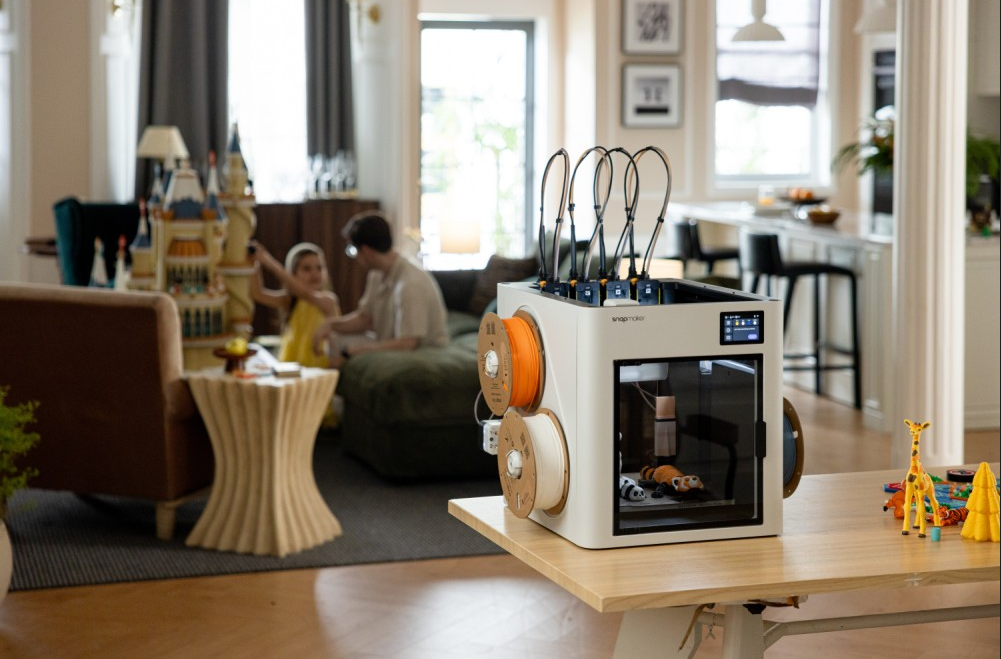
A 3D printer for home use typically costs between $150 and $1,000, depending on the features, speed, and materials it supports. Entry-level beginner models usually start around $200, while feature-rich machines with faster speeds, fully enclosed designs, and multi-color printing capabilities generally range from $500 to $1,000 or more.
However, like many home tools—such as a premium espresso machine or a power drill—the upfront purchase price is only part of the total investment. The true cost of owning a 3D printer includes the ongoing price of filament, maintenance, electricity, and the often-overlooked "material waste" that comes with modern multi-color printing.
In this comprehensive 2026 guide, we will break down exactly what you get at different price points, expose the hidden running costs, and help you determine which budget makes the most sense for your specific needs.
How Much Does a Home 3D Printer Cost in 2026?
The desktop 3D printer market has evolved incredibly fast. Features that used to cost thousands of dollars are now standard on consumer models. Today, the market is broadly divided into three main price tiers.
The Entry-Level Tier: $150 – $350
This is the perfect starting point for beginners, students, and parents looking for a STEM gift. Modern entry-level machines have completely ditched the manual bed-leveling challenges of the past.
- What you get: You can expect automatic bed leveling, direct-drive extruders, and Wi-Fi connectivity. Many newer entry-level printers now advertise high-speed printing (e.g., up to 500mm/s). However, maximum advertised speed does not always equal faster finished projects, since acceleration, layer height, and model complexity also affect actual print time.
- Limitations: These are usually open-frame designs. They are excellent for basic plastics like PLA and PETG but struggle with high-temperature materials like ABS.
The Mid-Range Tier: $400 – $800
This is the sweet spot for hobbyists and mainstream makers.
- What you get: At this price point, you step up to robust, fully enclosed chambers and faster motion systems. This allows you to print temperature-sensitive materials without warping. You’ll also find automated monitoring features that can detect common printing failures, alongside automated multi-color material systems.
The Prosumer & Enthusiast Tier: $800 – $1,200+
Designed for frequent multi-color users, micro-businesses, and advanced engineers.
- What you get: At this tier, the focus shifts to extreme reliability, larger build volumes (300mm³ and up), actively heated chambers for heavy-duty workflows, and advanced multi-material handling that minimizes material waste.
What Do You Get at Different Price Points?
To help you visualize the jump in quality and capability, here is a quick breakdown of what to expect as your budget increases:
| Price Range | What You Usually Get |
| $150 - $350 | Auto leveling, PLA/PETG printing, beginner-friendly setup. |
| $400 - $800 | Faster CoreXY design, full enclosure, multi-color options. |
| $800 - $1,200+ | Tool changing, advanced engineering materials, heavy-duty workflows. |
Speed and Stability (CoreXY vs. Bedslinger)
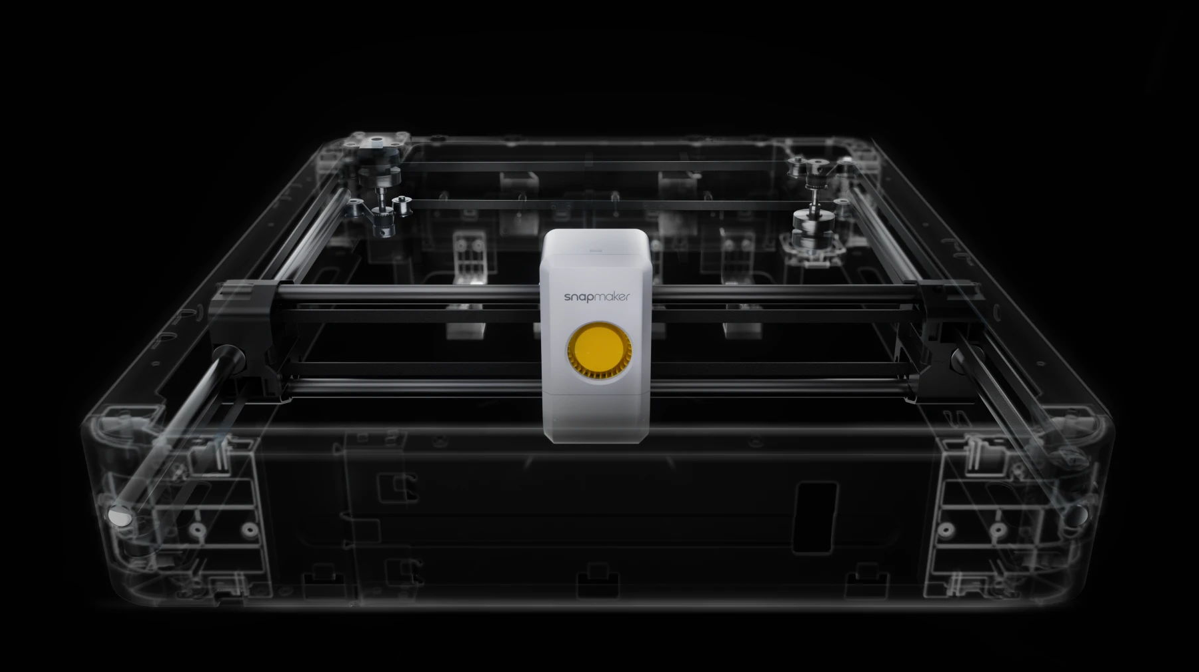
Many affordable printers use a bedslinger design. Moving a heavy glass or magnetic bed back and forth limits how fast the machine can print without causing vibrations (which show up as ringing artifacts on your model). Higher-end models often adopt the CoreXY architecture, where the bed only moves down slowly, and the ultra-light print head zips around the X and Y axes. This results in much faster prints with improved surface quality.
Enclosures and Material Freedom
If you just want to print colorful toys and desk organizers, a $200 open-frame printer using PLA filament is perfect. But if you want to print a custom bracket for your car or a weatherproof outdoor enclosure, you need materials like ABS, ASA, or Nylon. These materials require a hot, draft-free environment to prevent warping—meaning you must invest in a fully enclosed printer.
The Hidden Costs of Owning a 3D Printer
Many newcomers are afraid that a 3D printer will bleed their wallets dry over time. The truth is, standard 3D printing is quite affordable, but you need to budget for the total cost of ownership (TCO).
1. Filament (The "Ink" of 3D Printing)
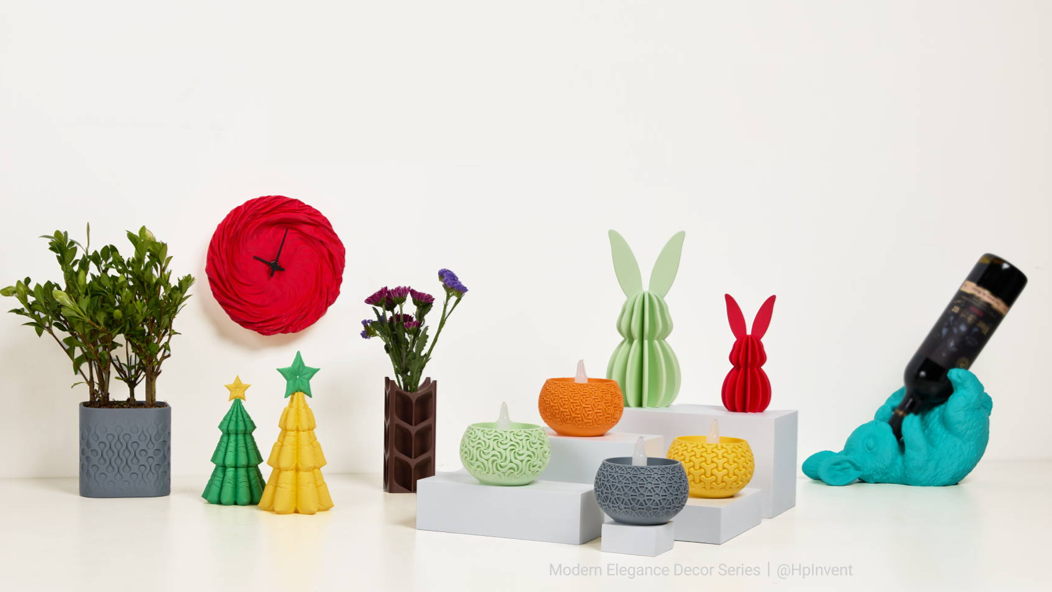
Standard filament usually costs between $14 and $20 per kilogram (about 1.4 to 2.0 cents per gram). To put this in perspective, printing a standard 15-gram calibration boat (a 3DBenchy) costs roughly $0.30. Single-color 3D printing is incredibly cheap.
2. Maintenance and Accessories
3D printers are mechanical machines with moving parts. Over a year of regular use, you should expect to spend $50 to $150 on maintenance:
- Nozzle Replacements: Brass nozzles wear out and cost about $5–$15 to replace.
- Build Plates: The textured PEI sheet you print on will eventually lose its stickiness and costs $20–$50 to replace.
- Filament Dryers: Moisture in the air ruins filament, causing stringing and weak prints. A dedicated filament dryer box ($30–$70) can help improve print consistency, especially in humid environments.
3. How Much Electricity Does a 3D Printer Really Use?
For most home users, electricity is one of the smallest parts of the total ownership cost. A common myth is that running a 3D printer overnight will cause your electricity bill to skyrocket. This is entirely false.
A 3D printer only uses peak power (150W–400W) for the first few minutes to heat up the nozzle and bed. Once it starts printing, it merely maintains that temperature, drawing an average of 80W to 250W. Using the average US residential electricity rate ($0.1747/kWh), running a 120W printer for a massive 12-hour print uses about 1.44 kWh. Your total electricity cost? About 25 cents.
Why Multi-Color Printing Changes the True Cost
While single-color printing is dirt cheap, the true cost of ownership shifts dramatically when you step into the world of multi-color 3D printing.
The Purge Waste Reality
Most mid-range multi-color machines use single-nozzle filament switching systems. When the printer needs to change from red to white, it cannot just swap the plastic immediately. It must pull the red filament out, push the white filament in, and then physically extrude a large amount of plastic to ensure the red doesn't bleed into the white.
This creates a massive block of wasted plastic next to your model known as a "purge tower" or a pile of purge waste pellets.
The Financial Impact
In complex multi-color prints, purge waste can sometimes approach or even exceed the weight of the final model. This means a decorative model that should have cost $4 in filament might actually consume $8 to $10 of plastic. Over a year of heavy printing, you could be throwing hundreds of dollars of premium filament straight into the trash.
Are More Expensive 3D Printers Worth It? (The Snapmaker U1 Example)
If you are a casual user, buying a cheaper printer and accepting a little material waste is fine. But this is where understanding Total Cost of Ownership (TCO) becomes crucial for heavy users.
To solve the material waste challenge in multi-color printing, high-end machines are now bringing a technology approach traditionally found in industrial systems to the home market: the Tool Changer.
Take the Snapmaker U1 as a prime example of this shift. Instead of a single nozzle, it features an independent 4-nozzle tool-changing system. When it’s time to switch colors, the machine physically docks the red nozzle and picks up the pre-heated white nozzle in seconds.
By avoiding the need to flush multiple colors through the same shared nozzle, the Snapmaker U1 significantly reduces purge waste. For frequent multi-color users, the reduced material waste may help offset the higher upfront cost over time, making it a potentially attractive option for users who frequently print multi-color models.
Which Budget Is Right for You?
So, how much should you actually spend? Here is a realistic buyer's breakdown for 2026:
| Your Goal | Recommended Budget |
| Trying 3D printing | $200 - $350 |
| Regular hobby use | $400 - $800 |
| Frequent multi-color printing | $800 - $1,200+ |
- $200 – $350 (The Beginner): Best if you just want to dip your toes into the hobby, print single-color desk toys, or introduce your kids to engineering. Stick to open-frame PLA printers with auto-leveling.
- $400 – $800 (The Mainstream Maker): Ideal if you want a workhorse machine. You want an enclosure to print strong ABS/PETG parts, high speeds, and multi-color capabilities for occasional colorful prints.
- $800 – $1,200+ (The Frequent Multi-Color User): If you plan on printing complex, multi-colored tabletop miniatures, cosplay props, or using water-soluble support materials frequently, skip the cheaper single-nozzle multi-color setups. Investing in a tool-changing printer in this price bracket will save you massive amounts of time and minimize material waste.
Frequently Asked Questions (FAQ)
How much does it cost to start 3D printing at home?
To get completely set up, plan to spend the cost of your printer plus about $50 to $100 for essentials. For example, if you buy a $250 beginner printer, budgeting $300–$350 total will cover the machine, 2-3 rolls of PLA filament, some isopropyl alcohol for cleaning the bed, and basic maintenance tools.
How much does a beginner 3D printer cost in 2026?
A highly capable, reliable beginner 3D printer currently costs between $200 and $350. At this price, you no longer have to build it from a kit, and it will feature modern conveniences like automatic bed leveling and Wi-Fi printing.
Are expensive 3D printers really worth it for home use?
It depends entirely on your usage. If you only print simple, single-color objects once a month, a $200 printer is plenty. However, if you want to print engineering-grade parts, require advanced multi-color printing with less waste, or want a machine that runs flawlessly without constant tinkering, an $800+ machine is absolutely worth the investment in saved time and materials.
What is the biggest hidden cost of owning a 3D printer?
Filament waste. Whether it's from failed prints due to a poorly calibrated machine, or the massive amount of purge waste generated by single-nozzle multi-color systems, wasted plastic is the single biggest drain on a 3D printing budget.
Conclusion
Buying a 3D printer for your home is no longer a massive financial hurdle. The key to making a smart purchase in 2026 is looking beyond the sticker price. Evaluate what materials you actually want to print, factor in the cost of routine maintenance, and be brutally honest about how often you will print in multiple colors.
Discover how the Snapmaker U1’s independent tool-changing system helps makers create detailed multi-color prints. By making an informed decision upfront, you can explore advanced multi-color printing with less material waste and fewer compromises.