What Does CAD Stand For? A Beginner's Guide to CAD & CAM

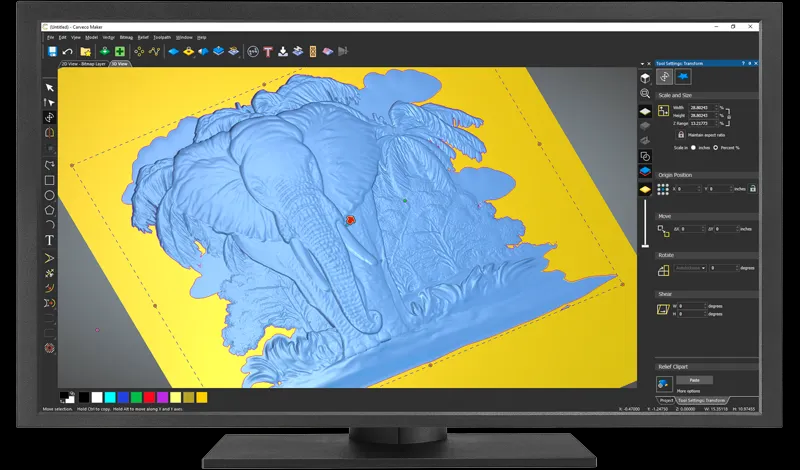
You are sketching an idea for a small 3D print or thinking of making a simple engraved gift, and then the real question hits you. How do you change your idea on paper into something a machine can make? Most people find this hard the first time they try to make something.
To clear up the biggest question right away, CAD stands for Computer-Aided Design. It is the use of software to create precision 2D drawings or 3D models of physical objects. But even with a clean digital drawing, nothing is going to build itself. A design still needs a way to become real. The machine has to know how to move, what to cut, and where to put each line of filament. This is where CAM helps. And if you use a Snapmaker, knowing how CAD and CAM work together makes everything easier.
What Does CAD Stand For? (The Digital Blueprint)
Computer-Aided Design is the first step for almost every project. Long ago, people drew their ideas with pencils, rulers, and big drawing tables. Today, CAD replaces all of that with digital tools. It is where you set the shape, size, geometry, and look of your idea.
For makers, CAD is powerful because it removes guesswork. You can see an object on screen before touching any material. This saves time and reduces waste. When your Snapmaker machine works with high accuracy, your design also needs to be accurate. Small mistakes in a drawing can turn into big problems in a finished project. CAD also makes changes simple. If you want to adjust a hole size or shorten an edge, you can edit it in seconds instead of redrawing everything.
There are two types of CAD that matter most to DIY users.
2D CAD (For Laser)
This is used for laser cutting and laser engraving. It deals with flat vector lines that guide the machine. These are usually saved as SVG or DXF files. If you have drawn a simple outline or a logo, you have already used a form of 2D CAD.
3D CAD (For 3D & CNC)
This is used for 3D printing and CNC carving. Here, you create solid digital objects, such as a phone stand or a storage box. These models are saved as STL or STEP files. If you want to make something with shape and thickness, you use 3D CAD.
When someone asks what CAD stands for, it is easy to say. But you can make many more things than beginners first think.
What is CAM Software? (The Translator)
CAM means Computer-Aided Manufacturing. CAD helps you make a design. CAM helps the machine know how to make it. A 3D printer or CNC machine cannot see your picture. It does not know what a heart or a coaster is. The machine only knows numbers for X, Y, and Z.
CAM is like a helper. If CAD draws the plan, CAM tells the machine what to do. It shows where to cut, print, or carve. It changes your design into steps the machine can follow.
CAM makes a file called G-code. This is the language the Snapmaker can read. It tells the machine where to go, how fast to move, and what to do. Without G-code, the machine cannot make your design.
CAD vs. CAM: The Key Differences
Many beginners search for CAM vs CAD because the two sound similar, but do completely different jobs. Here is the simple comparison.
Purpose:
- CAD's meaning focuses on the geometry of the object. It answers the question “What does it look like?”
- CAM focuses on the toolpath. It answers the question “How will the machine make it?”
What the User Does:
- In CAD, you draw lines, shapes, and models. You think about size and form.
- In CAM, you pick the tool and settings. For example, you might choose a 3.175 mm flat end mill, set the feed rate, and enter the material thickness. CAM is more about machine behavior than appearance.
Order of Workflow:
CAD always comes before CAM. You cannot tell the machine what to do for a shape that is not there. First, you finish your design in CAD. Then CAM gets it ready so the machine can make it.
The "Hidden" CAM: 3D Printing & Slicers
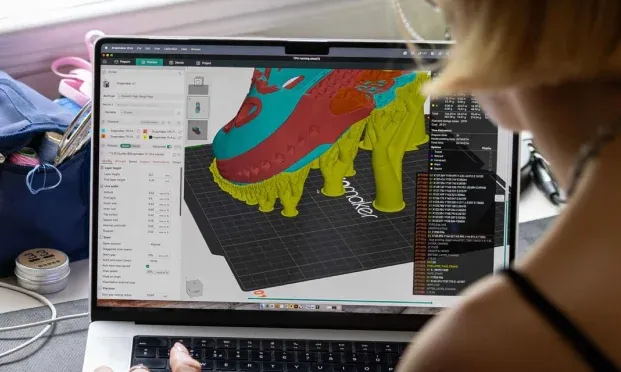
Many new makers are familiar with CAD but say they do not use CAM. Instead, they say they use a slicer like Cura or the 3D printing mode in Snapmaker Luban. The truth is, slicing is a form of CAM.
A slicer takes your 3D model and slices it into hundreds of thin layers. These layers become toolpaths. The slicer also decides temperatures, speeds, and movement patterns. All of these steps are part of what CAM software does.
If you have ever cut a model into layers, you have already used CAM. Knowing this makes using the machine easier and less scary.
Conclusion
CAD and CAM work together like two halves of one process. CAD is where you design the virtual model. CAM is where you prepare the instructions that tell the machine how to build it. When you own a Snapmaker, you become both the designer and the manufacturer. You control the vision and the production.
Want to make your CAD designs into real things? Try Snapmaker’s 3-in-1 3D printers and see how easy it is to use CAM.